"Google Arcade": Google's Hidden Classic Games — and How to Build Your Own With AI
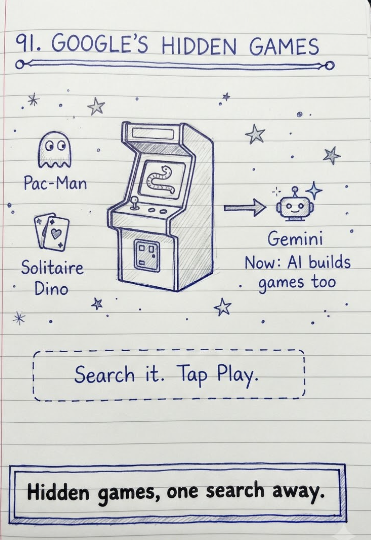
Search 'Google Arcade' and you won't land on a single official Google product by that exact name — but the phrase isn't nonsense either. It's the informal name people have given to two genuinely real things Google has built over the years: a scattered collection of classic hidden games baked directly into Google Search, Chrome, and past Doodles, and, much more recently, a Gemini feature that generates an entirely new, fully playable retro arcade game from nothing but a written description.
This guide covers both, accurately and separately. First, the actual hidden games you can play on Google right now, and exactly how to find each one. Second, how Google's newer AI-generated game feature works, and how to actually use it to build a playable game of your own.
The Real Hidden Games Built Into Google
Google has quietly built a genuinely large collection of playable games directly into its own products over the years — mostly as low-key easter eggs rather than a formally marketed feature. Here's how to actually find and play each one.
| Game | How to Access It |
|---|---|
| Snake | Search 'play snake' or 'google snake game' on Google, then tap Play |
| Pac-Man | Search 'pacman' on Google, then tap Play — this reuses Google's original 30th-anniversary Pac-Man Doodle game |
| Solitaire | Search 'solitaire' on Google, then tap Play |
| Minesweeper | Search 'minesweeper' on Google, then tap Play |
| Tic-Tac-Toe | Search 'tic tac toe' on Google, then tap Play against the computer or a friend |
| Zerg Rush | Search 'zerg rush' on Google — falling O's from the StarCraft universe attack your search results, and you click them to defend your page |
| Atari Breakout | Search 'atari breakout' on Google, then click Play — turns your image search results into breakable bricks |
| Chrome Dinosaur Game | Available offline in Google Chrome whenever there's no internet connection — press the spacebar or up arrow on the 'No internet' page to start, or type chrome://dino in the address bar while online |
None of these live under one unified menu or app — they're individually triggered by specific searches or, in the dinosaur game's case, built into the browser itself. That's a big part of why there's no single 'Google Arcade' page to bookmark; the games exist as a loose, informal collection rather than a centralized product.
Google Doodle Games: Another Source of 'Hidden' Games
Beyond the permanent hidden games above, Google has also released dozens of playable Doodle games over the years — special, often time-limited interactive Doodles built to celebrate specific holidays, anniversaries, or cultural moments (past examples include Doodle Champion Island Games, Coding for Carrots, and the Halloween Doodle series). Many of these are later archived and remain playable on Google's official Doodle Archive page, so if you remember a specific Doodle game from a previous year, searching for it by name or checking the Doodle Archive directly is usually the fastest way to find it again.
The Newer Development: Gemini Can Now Generate a Playable Arcade Game From a Prompt
This is the more recent, and arguably more genuinely novel, part of what people are increasingly searching 'Google arcade' to find. Through Gemini Canvas, you can now describe a game in plain language, and Gemini will generate a fully playable, browser-based version of it directly in the interface — no coding, no separate software, no download.
- Open Gemini and use Canvas mode (or simply prompt for a game directly, depending on the current interface).
- Describe the game you want in plain language — for example, asking for a simple retro arcade-style game, a specific classic format like Tic-Tac-Toe, or a custom concept with your own theme.
- Gemini generates a working, playable version of that game directly in the conversation, built from real code running behind the scenes.
- Use follow-up prompts to customize it further — changing the visual theme (for example, to a retro 8-bit look), adjusting difficulty, or modifying specific mechanics.
- Share the finished game with a link, so others can play the version you built without needing their own Gemini prompt.
Google has featured this capability directly in its own official training content — including a short course titled 'Create Your Own Retro Arcade Game,' which walks through using a simple text prompt in Gemini Canvas to build a Tic-Tac-Toe game and then re-theme it with a follow-up prompt into a retro 8-bit style. This reflects a broader shift in how Gemini is being positioned: not just as a chatbot that talks about games, but as a tool that can generate a genuinely playable one on the spot from a short description.
How the AI Game Generation Actually Works, In Practice
Behind the scenes, this feature works by having Gemini write real, functional code (commonly HTML, CSS, and JavaScript for browser-playable games) based on your description, then rendering that code as an interactive experience directly inside the chat interface, rather than just describing what a game like that might look like. This is meaningfully different from earlier AI chatbot experiences, which could discuss game design concepts but couldn't actually produce something you could immediately click and play. Developers building more advanced games have also used related Gemini models through tools like Gemini CLI and coding-agent workflows to build more substantial browser games (match-3 games, simple platformers) with reusable code, asset generation, and deployment — a more technical extension of the same underlying idea, aimed at people comfortable with a bit more hands-on development.
Conclusion
'Google Arcade' isn't a product you'll find by that name in any Google menu — it's really two separate, genuinely real things people are searching for under one convenient label. The first is Google's long-running, quietly maintained collection of classic hidden games — Snake, Pac-Man, Solitaire, Minesweeper, and a handful of others — each accessible through a specific search rather than a single hub page. The second, and newer, is Gemini's ability to generate an entirely custom, playable retro-style game from nothing but a written description, turning 'build me an arcade game' from a joke into something you can actually do in a few minutes.
If you're looking for a quick, nostalgic distraction, the classic hidden games above are one search away. If you're looking to actually create something of your own, Gemini Canvas's game-generation feature is the more current and genuinely capable route — and it's a good example of how far AI-assisted, no-code creation tools have moved from generating text and images to generating fully interactive experiences.
FAQ
Frequently Asked Questions
Is 'Google Arcade' a real Google product?+
Not as a single, officially named product. The phrase is commonly used to refer to Google's collection of classic hidden games (Snake, Pac-Man, Solitaire, Minesweeper, and others) built into Google Search and Chrome, or, more recently, to Gemini's feature that generates a playable retro-style game from a text prompt.
How do I play Snake on Google?+
Search 'play snake' or 'google snake game' directly in Google Search, then tap the Play button that appears above the search results.
How do I play Pac-Man on Google?+
Search 'pacman' on Google and tap Play. This reuses the interactive Pac-Man game originally created for Google's 30th-anniversary Pac-Man Doodle.
What is Zerg Rush on Google?+
Zerg Rush is a hidden Google Search easter egg, named after the StarCraft video game strategy. Searching 'zerg rush' causes falling O's to attack and consume your search results, which you defend by clicking them before they take over the page.
How do I play the Chrome dinosaur game?+
It automatically appears on Chrome's 'No internet connection' page whenever you're offline — press the spacebar or up arrow key to start. You can also access it anytime, even while online, by typing chrome://dino into Chrome's address bar.
Can Gemini actually create a playable game, or just describe one?+
It can create an actually playable one. Through Gemini Canvas, describing a game in plain text causes Gemini to generate real, functional code (typically HTML, CSS, and JavaScript) and render it as an interactive, clickable game directly in the interface — not just a text description of what such a game might look like.
Do I need to know how to code to make a game with Gemini?+
No. The core Gemini Canvas game-generation feature is designed to work from a plain-language prompt with no coding knowledge required. More advanced, code-based workflows using tools like Gemini CLI do exist for developers who want deeper customization, but they aren't required for the basic prompt-to-game experience.
Where can I find old Google Doodle games I remember playing?+
Many past interactive Doodle games are archived and remain playable on Google's official Doodle Archive page. Searching for the specific Doodle by name (for example, a particular holiday or anniversary Doodle) is usually the fastest way to relocate it if you don't remember the exact date it originally ran.
Is Atari Breakout still playable on Google?+
Yes. Searching 'atari breakout' on Google and clicking Play turns your image search results into breakable bricks in a version of the classic Breakout game.
How do I customize a game Gemini generates for me?+
After Gemini generates an initial playable version, you can send follow-up prompts asking it to change specific elements — for example, switching the visual theme to a retro 8-bit look, adjusting difficulty, or modifying game mechanics — and Gemini will regenerate the game incorporating those changes.