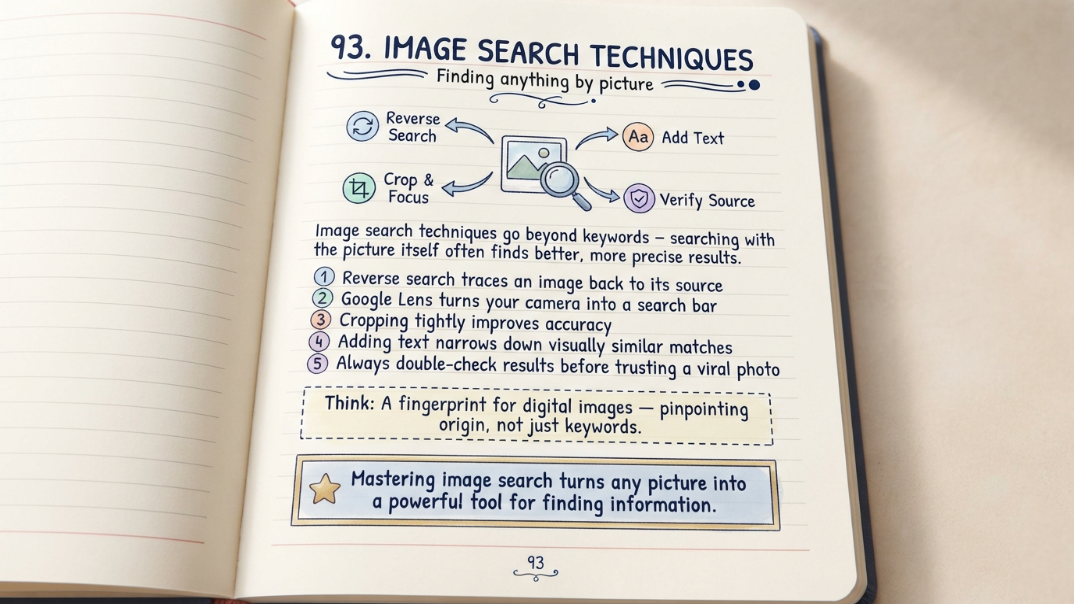
Typing a few keywords into a search bar is only one way to find something online — and often not the best one when what you're starting with is a picture rather than a description. Image search techniques cover a whole toolkit built specifically for this: finding the source of a photo, identifying an unfamiliar object or plant, checking whether an image has been altered or reused out of context, or simply finding visually similar results instead of ones that just match a keyword. This guide breaks down the main image search techniques available today, when to use each one, and how to get noticeably better results out of tools you may already have on your phone.
What Image Search Actually Means
Image search covers two related but distinct techniques: searching for images using a text query (typing "golden retriever puppy" to find matching pictures), and searching using an image itself as the input to find where it came from, what it depicts, or visually similar results. Most people are familiar with the first; the second, often called reverse image search or visual search, is far more powerful for specific tasks like identifying an object, verifying a photo, or finding a higher-resolution version of something you already have.
Reverse Image Search Explained
Reverse image search flips the usual process: instead of describing what you want and getting images back, you upload or paste an existing image and the search engine finds matching or visually related results. This works by analyzing visual features in the image — shapes, colors, patterns, and in some cases recognized objects or text — rather than relying on any caption or file name. It's the standard technique for tracing where a photo originally came from, finding other instances of the same image online, or identifying an object you can't otherwise describe in words.
Google Lens and Visual Search
Google Lens extends reverse image search into a broader visual search tool available directly from a phone camera, not just an uploaded photo. Rather than only matching an existing image, Lens can identify plants and animals, translate text captured in the frame, solve a math problem from a photo, extract text from an image to copy or search separately, and shop for visually similar products based on something in view. This makes it useful not just for tracing an existing image but for turning anything visible through a camera into a searchable, actionable query on the spot.
- Object and plant/animal identification directly from a live camera view
- Text extraction and translation from a photographed sign, label, or document
- Shopping search for visually similar products based on an item in frame
- Homework and math problem-solving from a photographed equation
- Landmark and location identification from a photo
Cropping and Focusing Your Search
One of the most underused image search techniques is simply cropping before searching. A full, cluttered photo containing several objects often confuses a reverse image search, since the algorithm has to guess which part of the image matters most. Cropping tightly around the specific object, product, or detail you actually care about — removing background clutter, other people, or unrelated items — consistently produces more accurate and relevant results, particularly in tools like Google Lens where you can draw a selection box directly around a specific region of the photo before running the search.
Combining Text and Image Search
Some of the most precise results come from combining an image with additional text context rather than relying on either alone. Many modern visual search tools allow adding a short text description alongside an uploaded image — for example, searching a photo of a chair while adding the word "mid-century" to narrow results toward that specific style, or searching a plant photo while adding a location to help narrow down regional species that look similar. This hybrid approach is particularly useful when an image alone is too generic or too visually similar to multiple different results.
Verifying an Image's Origin and Authenticity
Reverse image search is one of the most practical tools for basic media literacy — checking whether a viral photo is actually recent, whether it's been taken out of its original context, or whether it's been digitally altered. Running a suspicious image through a reverse search tool often surfaces the earliest known instance of that image online, along with any articles or fact-checks that have already addressed it. This won't catch every manipulation, particularly sophisticated AI-generated images, but it remains one of the fastest and most accessible first steps before sharing or trusting an unfamiliar image.
Best Tools by Use Case
Different image search tools are optimized for different goals, and picking the right one for the task consistently outperforms defaulting to whichever tool is already open.
| Goal | Best Tool | Why |
|---|---|---|
| Identify an object, plant, or animal | Google Lens | Strong real-world object recognition from a live camera |
| Trace an image's original source | Google Images / TinEye reverse search | Surfaces earliest known instance and related pages |
| Find visually similar products to buy | Google Lens / Pinterest Lens | Optimized for shopping-style visual similarity |
| Verify a viral or suspicious photo | Reverse image search + fact-check search | Surfaces prior context, articles, and known manipulations |
| Search using both an image and keywords | Google Lens with added text query | Combines visual match with descriptive narrowing |
Common Mistakes That Weaken Results
A few recurring habits consistently produce weaker or less relevant image search results.
- Searching a full, cluttered photo instead of cropping to the specific subject
- Using a low-resolution or heavily compressed screenshot instead of the original image file
- Relying only on visual search when adding a short text description would narrow results significantly
- Assuming a single reverse image search result is definitive proof of an image's authenticity or origin
- Not trying more than one search tool when the first attempt returns weak or generic matches
Tips for More Accurate Results
A handful of small habits consistently improve image search accuracy across almost any tool.
- Use the highest-resolution version of an image available, rather than a compressed screenshot
- Crop tightly around the specific subject before searching
- Add a short, specific text description alongside the image when the tool supports it
- Try more than one search tool if the first attempt returns generic or unrelated matches
- For verification purposes, cross-check results against a second, independent reverse search tool
- Search a section of an image separately if it contains multiple distinct subjects
FAQs
What is the difference between image search and reverse image search?
Image search typically means searching for pictures using a text query, while reverse image search means using an existing image as the input to find its source, identify its contents, or locate visually similar results.
How do I use Google Lens to identify an object?
Open Google Lens, point your camera at the object or upload a photo of it, and the tool will analyze visual features to suggest matches, including plants, animals, products, and landmarks.
Can reverse image search tell me if a photo has been faked?
It can help by surfacing the earliest known instance of an image and any related fact-checks or articles, which is useful for spotting recycled or out-of-context photos, though it won't reliably catch sophisticated AI-generated or edited images on its own.
Why does cropping an image improve search results?
A cluttered photo with multiple objects can confuse a visual search algorithm about which part matters most; cropping tightly around the specific subject removes that ambiguity and typically produces more accurate matches.
What's the best tool for finding where a product is sold based on a photo?
Google Lens and similar visual shopping search tools are generally best for this, since they're specifically optimized to match a photographed item against similar products available for purchase.
Should I add text along with an image when searching?
Yes, when the tool supports it. Adding a short, specific text description alongside an image search often narrows down results significantly, especially when the image alone could match multiple similar-looking subjects.