Telegram Web Complete Guide (2026): Login, Features, Security, Bots & Account Management
Introduction
In March 2025, Telegram crossed 1 billion monthly active users — becoming the seventh social platform in history to reach that milestone, joining Facebook, YouTube, Instagram, WhatsApp, TikTok, and WeChat. By early 2026, the platform reports over 500 million daily active users, with 2.5 million new users joining every single day. What started in 2013 as a privacy-focused messaging app has become one of the world's most powerful communication platforms — used for personal messaging, business marketing, crypto communities, news distribution, and automated workflows through bots.
Telegram Web is the browser-based version of this platform — allowing users to access their full Telegram account from any computer or device without installing software. It syncs instantly with the mobile app, supports file sharing up to 2GB per file, and provides access to the complete bot and channel ecosystem. Whether you are a first-time user wondering what Telegram is, or an experienced user looking to manage channels and automate workflows, this complete 2026 guide covers everything you need.
This guide covers: what Telegram is and how it works, Telegram Web features versus the mobile app, step-by-step login instructions, the complete bot ecosystem, channels and groups, full security and privacy breakdown, Telegram versus WhatsApp, Signal, and Discord, how to delete your Telegram account, and answers to the most common questions — including clarifications on terms like Worcester Telegram, Telegram and Gazette, and the Zimmermann Telegram that are frequently confused with the messaging app.
What Is Telegram?
Telegram is a cloud-based messaging platform founded on August 14, 2013, by brothers Pavel Durov and Nikolai Durov — the same pair who had previously built VKontakte (VK), Russia's largest social network. The platform is currently headquartered in Dubai, UAE, and operated by Telegram FZ-LLC. Unlike most messaging apps that store data on device hardware, Telegram stores all messages, media, and files in the cloud — meaning you can access your full chat history from any device at any time.
Telegram's core proposition is a combination of speed, scale, privacy, and openness that no single competing platform fully matches. Messages are encrypted in transit. Groups support up to 200,000 members. Files up to 2GB can be shared per message. The Bot API is fully open, allowing developers to build any automated workflow on top of the platform. And the basic version — which includes all of these features — is completely free, forever, with no advertising in personal chats.
By 2026, Telegram has over 1 billion monthly active users, 500 million daily active users, 15 million Premium subscribers, and a cumulative 2 billion downloads across the App Store and Google Play. India is the largest market with 104 million active users, followed by Russia at 34.4 million and Indonesia at 27.2 million. The platform generates revenue through Telegram Premium subscriptions and advertising on large public channels — not through selling user data.
Telegram Web Overview
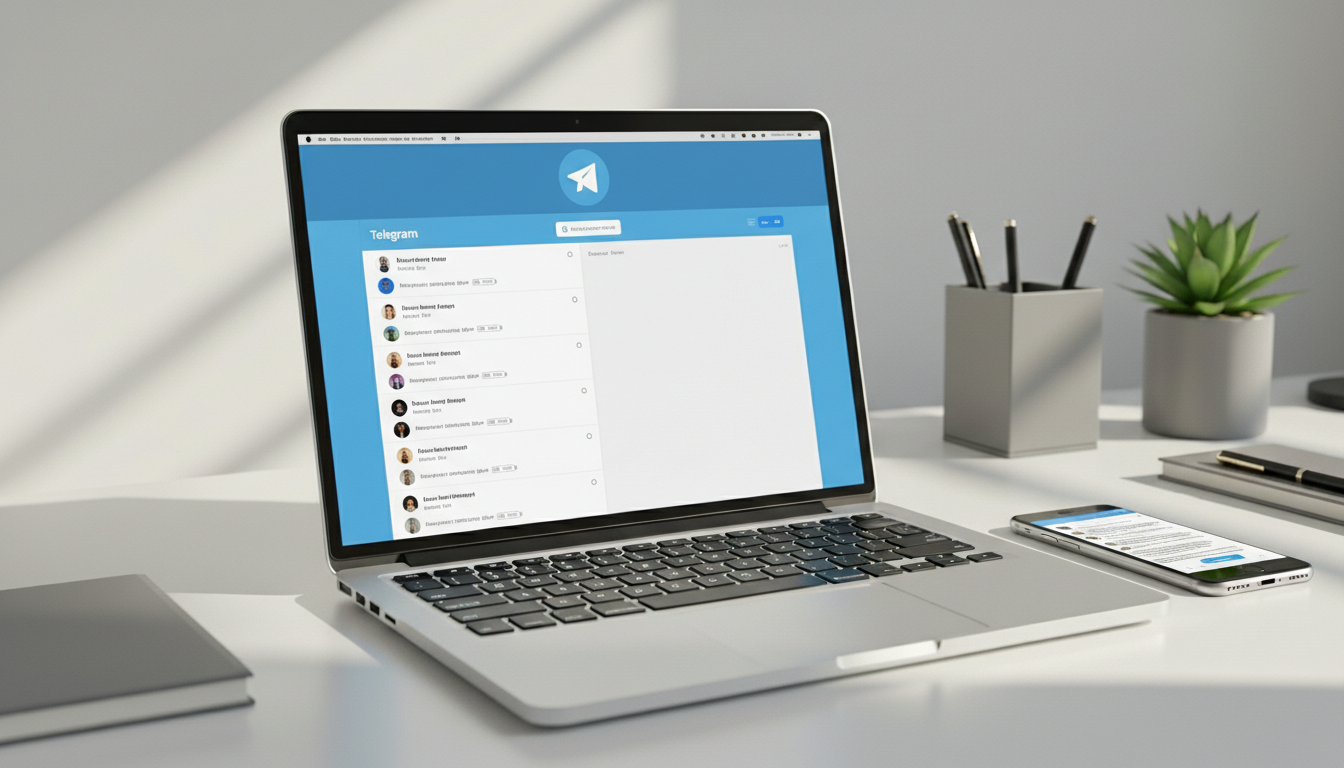
Telegram Web is the official browser-based interface for accessing Telegram at web.telegram.org. It allows users to send and receive messages, manage channels and groups, use bots, download files, and access all core Telegram features directly from a browser — without installing any application. It syncs in real time with the Telegram mobile app through cloud-based infrastructure.
There are two versions of Telegram Web currently available: Telegram Web K (the newer, more feature-rich version built with JavaScript) and Telegram Web Z (the legacy version). Both offer the same core messaging functionality. Web K is generally recommended for new users due to its more polished interface and faster performance.
| Feature | Telegram Mobile App | Telegram Web |
|---|---|---|
| Cloud sync across devices | Yes | Yes |
| Voice and video calls | Yes — full quality | Limited — basic support |
| Bots access | Yes | Yes — full access |
| File sharing (up to 2GB per file) | Yes | Yes |
| Secret Chats (end-to-end encrypted) | Yes | No — not available on Web |
| Channels and groups management | Yes | Yes |
| Telegram Premium features | Yes — full access | Yes — most features |
| Stories and ephemeral content | Yes | Yes |
| Multiple account support | Yes | Yes — via multiple browser sessions |
| Notifications | Push notifications | Browser notifications only |
The most important limitation of Telegram Web is the absence of Secret Chats — the end-to-end encrypted conversation mode that is only available on mobile devices. All other chats on Telegram Web use server-client encryption, which is secure but not end-to-end. For users who require the highest level of message privacy, Secret Chats must be initiated from the mobile app.
Telegram Login Process (Step-by-Step)
Telegram login works differently from traditional websites. There is no username and password combination to remember. Instead, Telegram authenticates users through a one-time code sent to their registered phone number or existing Telegram app — a phone-based verification system that significantly reduces the risk of password-based account takeovers.
- Open your browser and go to web.telegram.org — always verify you are on the official domain before entering any information.
- Select your country code from the dropdown menu and enter your registered mobile phone number in international format.
- Telegram sends a login code — either as a notification inside your Telegram app (if already installed on another device) or as an SMS to your phone number.
- Enter the received code in the browser login field. The code expires after a short window for security purposes.
- If you have two-step verification enabled, you will be prompted to enter your additional password after the code.
- Your account loads instantly — fully synced with all your chats, channels, and contacts from the mobile app.
Security recommendation: always enable two-step verification before logging in on shared or public computers. Go to Settings → Privacy and Security → Two-Step Verification and set a strong password. This means that even if someone obtains your login code, they cannot access your account without the additional password. After using Telegram Web on a shared device, go to Settings → Devices and terminate that session remotely from your phone.
Key Telegram Features in 2026
Telegram's feature set has expanded significantly in 2026. Beyond basic messaging, the platform now functions as a content broadcasting network, bot automation platform, and increasingly as a mini-app ecosystem. Here is a complete breakdown of the features that matter most to different user types.
| Feature | What It Does | Who Uses It Most |
|---|---|---|
| Cloud messaging | All messages, files, and media stored in Telegram's cloud — accessible from any device instantly | All users — core functionality |
| Large file sharing (2GB per file) | Share documents, videos, software, and any file type up to 2GB per message | Businesses, developers, content creators, educators |
| Voice and video calls | Encrypted one-on-one and group calls; group video calls support up to 1,000 participants | Remote teams, communities, businesses |
| Channels (unlimited subscribers) | One-way broadcast to unlimited followers; used like a newsletter or news feed | Influencers, media outlets, businesses, crypto projects |
| Groups (up to 200,000 members) | Two-way conversation with up to 200,000 participants; polls, pinned messages, moderation tools | Communities, fan groups, business teams, support forums |
| Bots and automation | API-driven automated accounts performing tasks — customer support, trading alerts, payments, AI chat | Businesses, developers, marketers |
| Secret Chats | End-to-end encrypted conversations with self-destruct timers; leave no trace on Telegram's servers | Privacy-conscious users, journalists, activists |
| Telegram Stories | Ephemeral content visible to contacts or subscribers for 24 hours | Content creators, personal users |
| Mini Apps | Full web applications running inside Telegram — games, e-commerce, services | Developers, businesses — growing rapidly in 2026 |
| Telegram Premium (₹469/month) | 4GB file uploads, faster downloads, no ads in channels, exclusive stickers, voice-to-text, animated profiles | Power users, businesses — 15 million subscribers as of May 2025 |
Telegram Bots and Automation
Telegram's open Bot API has generated one of the largest bot ecosystems of any messaging platform — with over 10 million bots currently active on the platform. Bots are automated accounts built by developers and businesses to perform tasks inside Telegram without human intervention. They can respond to messages, send scheduled notifications, process payments, moderate groups, integrate with external APIs, and now power full AI assistants.
Creating a bot requires registering it with @BotFather — Telegram's official bot management bot — which provides an API token used to program the bot's behavior. The Telegram Bot API is fully documented, free to use, and supports webhooks for real-time event processing. This accessibility has made Telegram bots a standard infrastructure component for businesses operating in markets where Telegram has high user penetration.
| Bot Type | Primary Purpose | Real-World Example |
|---|---|---|
| Customer Support Bot | Answer FAQs automatically; route complex queries to human agents; handle initial customer intake | E-commerce brands using bots to handle order tracking and return requests 24/7 |
| Crypto and Trading Bot | Provide real-time price alerts, trading signals, portfolio tracking, and exchange integrations | Crypto communities use bots to push BTC/ETH price updates and liquidation alerts instantly |
| News and Content Bot | Automatically push new articles, breaking news, or content updates to subscribers | Media outlets use bots to distribute headlines to channel subscribers as they publish |
| AI Chatbot | Natural language conversation, question answering, content generation using GPT-based models | Businesses deploying AI customer assistants inside Telegram for 24/7 interactive support |
| Payment Processing Bot | Accept payments from users inside Telegram using Telegram's native payment API | Service businesses and digital product sellers collecting payments without leaving the app |
| Group Moderation Bot | Auto-remove spam, enforce rules, ban users, welcome new members, verify humans via captcha | Large communities with 10,000+ members requiring automated moderation at scale |
| Scheduling and Reminder Bot | Send scheduled messages, reminders, and time-based notifications to users or channels | Productivity apps and teams using Telegram as a notification layer for project management |
In 2026, Telegram's Mini App framework has significantly expanded what bots can do — allowing bots to launch full web applications inside the Telegram interface. This has enabled games, booking systems, e-commerce stores, and productivity tools to operate entirely within Telegram without users needing to leave the app. Nearly 20% of Telegram's monthly active users engage with at least one game or Mini App on the platform.
Telegram Channels and Groups
Channels and groups are two distinct features that serve fundamentally different communication purposes — and understanding the difference is essential for using Telegram effectively.
| Feature | Telegram Channels | Telegram Groups |
|---|---|---|
| Communication direction | One-way — only admins can post; subscribers receive and read | Two-way — all members can send messages (with permission settings) |
| Subscriber / member limit | Unlimited subscribers | Up to 200,000 members |
| Primary use case | Broadcasting to large audiences — news, updates, announcements | Community discussion, team collaboration, support forums |
| Comment functionality | Optional — linked discussion group can be attached for comments | Full two-way conversation by default |
| Analytics | Channel admins see view counts and subscriber data | Group admins see activity statistics |
| Monetization | Telegram ads can appear in large public channels; creators can charge for subscriptions | Less directly monetized — primarily community building |
| Privacy options | Public (searchable) or Private (invite-only) | Public (searchable) or Private (invite-only) |
| Admin controls | Full control over who can post, comment, and manage | Granular permissions — slow mode, media restrictions, moderation tools |
For businesses and content creators, channels are the most powerful Telegram feature in 2026. The ability to broadcast to an unlimited subscriber base with no algorithmic feed suppression — unlike Instagram or Facebook where organic reach is severely limited — makes Telegram channels an exceptionally effective direct communication tool. 70% of Telegram channel admins already earn money from their channels through advertising, subscriptions, or affiliate partnerships.
Security and Privacy Features
Telegram's security model is frequently misunderstood. It is important to understand what Telegram encrypts, what it does not encrypt by default, and what privacy controls are available — particularly for users who choose Telegram specifically for its privacy features.
| Security Feature | How It Works | Important Limitation |
|---|---|---|
| Server-client encryption (default) | All regular chats, groups, and channels are encrypted between your device and Telegram's servers using MTProto encryption protocol | Telegram's servers can technically access these messages — they are not end-to-end encrypted by default |
| Secret Chats (end-to-end encryption) | Full end-to-end encryption — messages never pass through Telegram's servers in readable form; self-destruct timers available | Only available on mobile devices — not on Telegram Web; must be initiated by both parties |
| Two-step verification | Adds a password layer beyond the SMS login code — prevents account takeover even if phone number is compromised | Must be enabled manually in Settings → Privacy and Security |
| Active sessions management | View and remotely terminate all active login sessions across devices from Settings → Devices | Users should review and terminate unused sessions regularly, especially after using shared computers |
| Last Seen and online status control | Control who sees when you were last active — Everyone, My Contacts, or Nobody | Set in Settings → Privacy and Security → Last Seen |
| Profile photo visibility | Control who can see your profile photo — Everyone, My Contacts, or Nobody | Set in Settings → Privacy and Security → Profile Photos |
| Message forwarding control | Prevent others from forwarding your messages with attribution — they appear as forwarded from a restricted user | Set in Settings → Privacy and Security → Forwarded Messages |
| Self-destructing messages | Set automatic deletion timers on messages in Secret Chats — deletes from both devices after set time | Only works in Secret Chats — not in regular chats or groups |
The most important security distinction for Telegram users: regular chats are encrypted in transit but stored on Telegram's servers. Secret Chats are end-to-end encrypted and never stored on Telegram's servers. For most personal and business communications, regular chats provide robust, practical security. For highly sensitive communications — journalistic sources, legal discussions, personal confidential matters — Secret Chats on mobile are the appropriate choice.
Telegram vs Other Platforms
Telegram is frequently compared with WhatsApp, Signal, and Discord — each of which serves overlapping but distinct use cases. Understanding the genuine differences helps users choose the right tool for each communication need.
| Feature | Telegram | Signal | Discord | |
|---|---|---|---|---|
| Monthly active users | 1 billion+ | 3 billion+ | ~50 million (est.) | ~500 million |
| Max group size | 200,000 members | 1,024 members | 1,000 members | Unlimited (servers) |
| Default encryption | Server-client (MTProto) | End-to-end (all chats) | End-to-end (all chats) | Server-client |
| End-to-end encryption option | Secret Chats only | All chats by default | All chats by default | Not available |
| Cloud storage | Yes — unlimited history | Limited device backup | No cloud storage | Yes — server-based |
| File sharing limit | 2GB per file (4GB Premium) | 2GB | No large file support | 8MB free / 500MB Nitro |
| Bot ecosystem | 10 million+ bots — most comprehensive | Limited (business API only) | None | Extensive (Discord bots) |
| Channels / broadcasting | Unlimited subscribers | Broadcast lists (limited) | Not available | Announcement channels |
| Username-based contact | Yes — no phone number needed to message | Phone number required | Phone number required | Username-based |
| Free to use | Yes — fully featured free version | Yes | Yes | Free with paid Nitro tier |
The practical conclusion from this comparison: Telegram is the strongest choice for large community building, bot automation, broadcasting, and file sharing at scale. WhatsApp and Signal are stronger choices for users who want end-to-end encryption on all messages by default without any configuration. Discord is the strongest choice for gaming communities and voice-channel-based team communication. Many users use multiple platforms for different purposes rather than choosing one exclusively.
How to Delete Telegram Account
Deleting a Telegram account is a permanent action that removes all your messages, contacts, and data from Telegram's servers. It cannot be done from inside the app directly — it requires using the official account deletion page. Before proceeding, consider whether temporary deactivation or simply logging out of all sessions achieves your goal without permanent data loss.
- Open a browser and go to the official Telegram account deletion page at my.telegram.org/auth — verify you are on this exact official domain.
- Enter your registered phone number in international format (include country code, for example +91 for India or +1 for US).
- Receive and enter the confirmation code sent to your Telegram app or via SMS to your registered number.
- After logging in to my.telegram.org, click on 'Delete Account' in the account settings panel.
- Enter your reason for deletion when prompted (optional) and confirm the deletion request.
- Your account, all messages, groups you created, and all associated data are permanently and irreversibly deleted.
Important notes on account deletion: once deleted, your phone number can be re-registered on Telegram, but all previous data is permanently gone and cannot be recovered. If you were the sole admin of any groups or channels, those groups will be deleted along with your account — transfer admin rights to another user before deleting if you want the groups to continue. The process typically completes within 24 hours but can take up to a week for all data to be fully cleared from backup servers.
Common Search Confusions: Worcester Telegram, Telegram and Gazette, Zimmermann Telegram
Several high-volume search terms containing the word 'Telegram' frequently cause confusion because they refer to completely different things from the messaging app. Here is a clear breakdown of the most commonly confused terms.
| Search Term | What It Actually Refers To | Relation to Telegram App |
|---|---|---|
| Worcester Telegram | The Telegram & Gazette — a daily newspaper based in Worcester, Massachusetts, USA, founded in 1866 and currently owned by Gannett | None — a newspaper, not the messaging app |
| Telegram and Gazette | The full name of the Worcester, Massachusetts newspaper — Telegram & Gazette (T&G) — covering local news for Central Massachusetts | None — a regional US newspaper |
| Chronicle Telegram | A newspaper published in Elyria, Ohio, USA — The Chronicle-Telegram — covering Lorain County news | None — a separate Ohio regional newspaper |
| Zimmermann Telegram | A January 1917 diplomatic communication from German Foreign Secretary Arthur Zimmermann to Mexico, proposing a military alliance against the United States — a key event that helped bring the US into World War I | None — a historical WWI document with no connection to the messaging app |
| Telegram (historical) | Before modern messaging apps, a 'telegram' referred to a message transmitted via telegraph — the dominant long-distance communication technology of the 19th and early 20th centuries | The messaging app's name is an homage to the speed and brevity of traditional telegrams |
Benefits of Using Telegram Web in 2026
Telegram Web provides a full-featured browser-based alternative to the mobile app — with no installation required, instant cloud sync, and access to the complete Telegram ecosystem from any computer. Here are the primary benefits that make it the preferred choice for desktop users.
| Benefit | Detail | Best For |
|---|---|---|
| Zero installation required | Access full Telegram from any browser — Chrome, Firefox, Safari, Edge — without downloading software | Office users on managed computers, travelers using public terminals |
| Instant cloud synchronization | All chats, media, and files sync in real time between web and mobile — start a conversation on phone, continue on desktop seamlessly | Remote workers, multi-device users |
| Large file sharing | Send and receive files up to 2GB per message — significantly larger than email attachments or WhatsApp limits | Businesses, content creators, developers sharing large assets |
| Full bot and channel access | Manage bots, channels, and groups from a keyboard and large screen — more efficient for heavy channel management | Community managers, marketers, businesses running Telegram channels |
| Keyboard shortcuts and productivity | Desktop interface supports keyboard shortcuts for faster navigation — more efficient than touchscreen for heavy messaging | Power users, remote teams, customer support staff |
| Multiple session management | Log into different Telegram accounts using different browser profiles or incognito windows simultaneously | Professionals managing business and personal accounts separately |
Conclusion
Telegram in 2026 is no longer simply a messaging app — it is a complete communication ecosystem serving 1 billion monthly users across personal messaging, business broadcasting, bot automation, community building, and mini-app development. Telegram Web brings this full ecosystem to any browser, making it one of the most accessible and feature-complete desktop messaging experiences available.
Whether you are using Telegram Web for the first time, managing a large channel or community, building automated workflows with bots, or evaluating Telegram against WhatsApp, Signal, or Discord, understanding the platform's full capabilities ensures you get maximum value from it. From the step-by-step login process to the nuances of Secret Chat encryption and the correct use of two-step verification, the platform rewards users who take the time to configure it properly.
FAQ
Frequently Asked Questions
Is Telegram Web completely free to use?
Yes — Telegram Web is completely free to use with no subscription required and no advertising in personal chats. The free version includes all core features: unlimited messaging, file sharing up to 2GB per file, full access to bots and channels, groups up to 200,000 members, and cloud storage for all your messages and media. Telegram Premium is an optional paid subscription (approximately ₹469/month in India) that unlocks additional features including 4GB file uploads, faster download speeds, voice-to-text conversion, premium stickers, and no ads in public channels. As of May 2025, Telegram has 15 million Premium subscribers — about 1% of its total user base — while the remaining 99% use the free version.
Can I use Telegram Web without a phone number?
No — a phone number is required to register a Telegram account initially. This is Telegram's primary identity verification mechanism. However, once registered, you can set a unique @username that allows other users to contact you without knowing your phone number, and you can configure your privacy settings so your phone number is visible only to you. In Settings → Privacy and Security → Phone Number, you can set visibility to 'Nobody,' meaning no other user can see your number — only the username is publicly visible. This provides practical phone number privacy even though a number is technically required for initial registration.
How secure is Telegram compared to WhatsApp and Signal?
The honest answer depends on which feature you are comparing. For default encryption: WhatsApp and Signal encrypt all messages end-to-end by default, meaning even WhatsApp and Signal cannot read your messages. Telegram's regular chats use server-client encryption — secure in transit, but Telegram's servers technically have access to the content. For maximum privacy on Telegram, you must use Secret Chats (only available on mobile), which provide full end-to-end encryption with self-destruct timers. For scale and features: Telegram has no competitor — 200,000-member groups, unlimited channel subscribers, 2GB file sharing, and 10 million bots are unmatched. The practical recommendation: use Signal for the most sensitive communications, Telegram for everything else including communities, file sharing, and automation.
How do I permanently delete my Telegram account?
To permanently delete your Telegram account, go to my.telegram.org/auth in a browser — not inside the app. Enter your registered phone number, receive and enter the confirmation code sent to your Telegram app or via SMS, then navigate to Delete Account in the settings panel and confirm. All your messages, contacts, groups you created, and data are permanently removed. This action is irreversible — there is no recovery option. Before deleting: transfer admin rights to any groups or channels you manage so they continue after your account is gone. Your phone number can be re-registered on Telegram later, but no previous data will be available. The deletion typically completes within 24 hours.
What is the difference between Telegram channels and groups?
Telegram channels and groups serve fundamentally different communication purposes. Channels are one-way broadcast tools — only admins can post, subscribers only receive and read, and channels support unlimited subscribers. They work like a newsletter or broadcast feed, ideal for businesses, media outlets, and influencers reaching large audiences. Groups are two-way conversation spaces — all members can send messages (with configurable permission levels), and groups support up to 200,000 members. Groups are ideal for community discussion, team collaboration, and customer support. A common setup is to use a channel for announcements paired with a linked group for discussion, where the channel posts appear in the group for community conversation.
What are Telegram bots and how do I use them?
Telegram bots are automated accounts built on Telegram's open Bot API that perform tasks without human intervention. There are over 10 million active bots on Telegram in 2026, performing functions including customer support, crypto price alerts, news distribution, group moderation, payment processing, AI conversation, and scheduling. To use a bot, search for its username in Telegram's search bar (bots are always identified by a username ending in 'bot') and start a conversation. To build a bot, register it with @BotFather — the official Telegram bot management tool — which provides an API token you use to program the bot's behavior using Telegram's fully documented, free Bot API. Most bots are free to use; some businesses charge for premium bot services.
What is the Zimmermann Telegram and how is it different from the messaging app?
The Zimmermann Telegram is a significant historical document from World War I — a January 1917 coded diplomatic communication sent by German Foreign Secretary Arthur Zimmermann to the German ambassador in Mexico. It proposed a military alliance between Germany and Mexico against the United States, offering Mexico the return of Texas, New Mexico, and Arizona if it helped Germany. British intelligence intercepted and decoded it, and its revelation to the American public helped accelerate the United States' entry into WWI in April 1917. It has no connection whatsoever to the Telegram messaging app. Similarly, the Worcester Telegram and Gazette is a regional newspaper in Massachusetts, and the Chronicle-Telegram is an Ohio newspaper — both are unrelated to the messaging platform.
How many users does Telegram have in 2026?
As of early 2026, Telegram has over 1 billion monthly active users — a milestone it first crossed in March 2025, making it the seventh social platform in history to reach that scale. The platform also reports over 500 million daily active users, meaning approximately half of monthly users log in every single day. 2.5 million new users join Telegram daily. The platform has been downloaded over 2 billion times cumulatively across the App Store and Google Play. India is the largest single market with 104 million active users, followed by Russia at 34.4 million and Indonesia at 27.2 million. The United States has approximately 26.85 million active Telegram users — around 8% of the US population.